
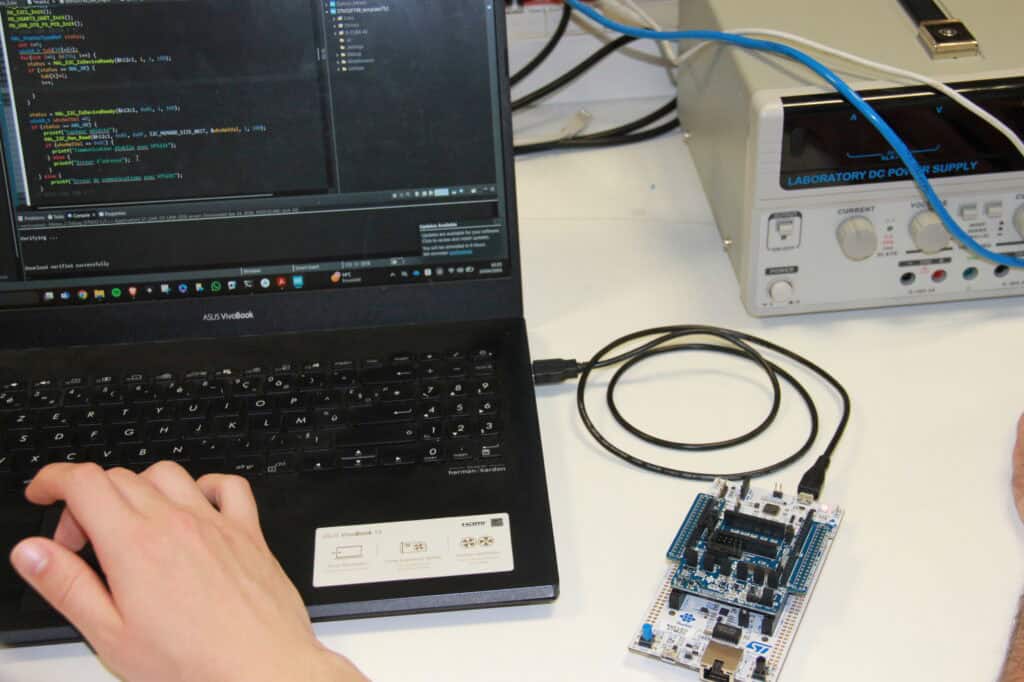
Guest blog by Florent Goutailler, Associate Professor, Télécom Saint-Etienne, France
Teaching real-time embedded systems has always involved a fundamental challenge: the most critical behaviors – task scheduling, timing, and concurrency – are largely invisible at runtime.
When students begin working with a real-time operating system such as FreeRTOS, they are introduced to concepts like scheduling, task prioritization, semaphores, and inter-task communication. These ideas are not inherently difficult, but they are abstract. The real difficulty lies in connecting theory to what is actually happening inside the system as it runs.
For many years, I observed the same pattern. Students could write code that compiled and ran, but when something didn’t behave as expected, they struggled to understand why. Debugging often relied on breakpoints or printf statements, which are not only inefficient but can also interfere with the timing behavior of the system itself. In a real-time context, that is a serious limitation.
The result was predictable: students were learning the concepts, but not always truly understanding them.
That is what led me to introduce Percepio Tracealyzer, a runtime visualization tool for analyzing real-time system behavior, into my course.
Making System Behavior Tangible
I teach a 25-hour Real-Time Embedded Systems module to final-year Master’s students in Electrical Engineering. The course is based on FreeRTOS and STM32 platforms and covers core topics including scheduling, synchronization, communication mechanisms, and software timers.
Tracealyzer is now fully integrated into both the practical exercises and the final project.
From the very beginning, students use it to observe how their systems behave over time. Instead of guessing how scheduling decisions unfold, they can see them on a timeline. Runtime events are recorded into a trace buffer on the target and visualized as a detailed sequence of system activity. Rather than relying on static debugger snapshots, students can follow how the system evolves over time.
They can see when a task is running, when it is blocked, and what caused the blocking. They can observe how semaphores and queues evolve during execution, and how task priorities influence interactions. They also gain access to system-level insights that are difficult to obtain with standard tools, such as heap usage and per-task stack consumption.
This shift – from assumption to direct observation – fundamentally changes how students reason about system behavior.
From Debugging Tool to Learning Tool
Initially, I introduced Tracealyzer as a way to improve debugging. It certainly achieves that. However, it quickly became clear that it was also an important teaching tool in its own right.
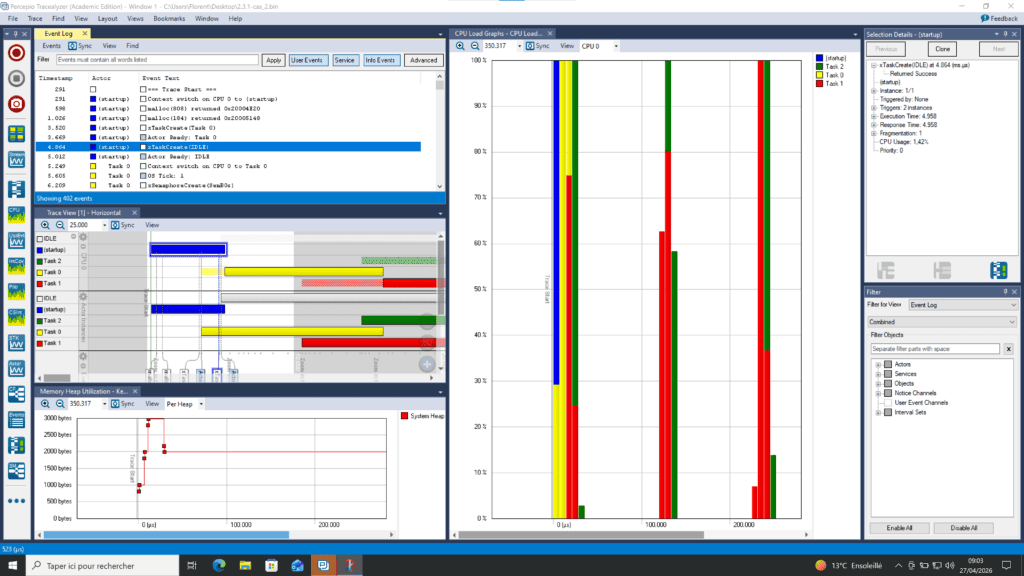
Students begin to use visualization not just to fix problems, but to validate their understanding. They move away from trial-and-error debugging and instead analyze system behavior directly.
In practice, issues that previously took hours to isolate – such as unexpected blocking or misinterpreted scheduling behavior – can often be understood within minutes by examining the trace.
A More Professional Approach to Projects
The benefits become even clearer during the project phase.
Students are required to design a complete real-time application, typically involving data acquisition tasks (synchronized with software timers), data processing tasks, and communication through message queues. I encourage them to use Tracealyzer from the earliest stages of their design, not just at the end.
They begin by validating core mechanisms such as task synchronization and inter-task communication. As their system grows, they use trace data to debug and refine it. By the end of the project, they are able to verify temporal determinism by analyzing execution timing, task response latencies, and scheduling behavior under realistic conditions.
Importantly, they must demonstrate this in their final submission using annotated trace data.
This fundamentally changes the nature of the exercise. Students are no longer simply delivering a working system; they are providing evidence that it behaves correctly under real-time constraints.
Changing Habits Early
Another notable outcome has been how quickly students adopt new working habits.
With the help of a template project and two introductory videos, they are able to start using Tracealyzer without difficulty. Very quickly, it becomes part of their development workflow. The use of printf debugging fades away, replaced by a more systematic and reliable approach based on trace analysis.
Students also begin to explore independently, using timeline views to identify blocking points, analyze task interactions, and investigate performance issues on their own.
Bridging the Gap to Industry
One of my goals in teaching this course is to prepare students for real-world engineering challenges. In that respect, Tracealyzer plays an important role as it introduces students to a workflow that reflects professional practice: observing system behavior, analyzing performance, and validating timing requirements using concrete data. These are essential skills in embedded systems development, yet they are difficult to teach using traditional tools alone.
A Clear Recommendation
Based on my experience, I strongly recommend integrating visualization tools like Tracealyzer into real-time systems education.
These tools do more than make abstract concepts tangible – they help students develop a rigorous approach to understanding system behavior, grounded in observation and evidence rather than assumption.
The only limitation I have encountered in Tracealyzer is its current lack of native macOS support, which can be a constraint in some teaching environments. Aside from this, the tool integrates smoothly into both coursework and projects. (Editor’s note: the next version of Tracealyzer, which is under development now, will run natively on macOS.)
Looking Forward
What this experience has shown me is that visualization is not just helpful – it is foundational to how real-time systems should be taught.
When students can see how their systems behave, they move beyond theory and develop the habits of practicing engineers: questioning assumptions, validating behavior, and making decisions based on evidence.
In real-time systems, where timing and interaction define correctness, that shift is not beneficial – it is essential.
Percepio offers free Tracealyzer licenses to qualifying academic institutions and students. Please visit the Licensing page to review the terms and apply for an academic license.